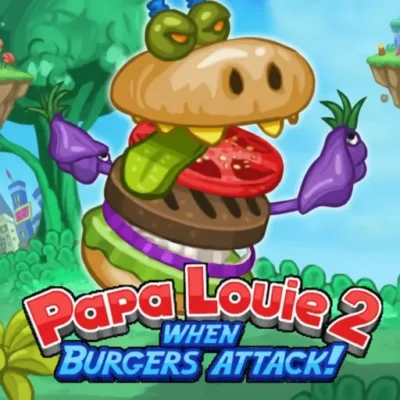
Play Papa's Games Online for free! Step into Papa Louie’s busiest kitchens and try to keep every hungry customer smiling. In Papa's Games, you’ll take orders, cook tasty food, and decorate plates exactly the way each guest wants. It feels like running your own tiny café, but without any mess in the real kitchen.
Whether you’re new to cooking games or you’ve played them for years, you’ll quickly learn the simple controls and fun stations. Switch between grilling, mixing, baking, and building sundaes as the clock ticks. Ready to become the fastest, most accurate chef in town?

Papa's Games is the name fans give to a huge series of cooking and restaurant games created by Flipline Studios. Each title drops you into a different food shop, such as a pizzeria, freezeria, cupcakeria, or even a sushi bar. Instead of button-mashing action, these games focus on time management, accuracy, and creativity. You’ll greet customers, build their dream meals, and try to earn big tips and stars. Because every game follows the same cosy universe and characters, it feels like one long story about Papa Louie and his friends learning how to run the tastiest town on Earth.
Most Papa's Games share a simple, satisfying loop. First, you wait at the Order Station and listen carefully while customers tell you exactly what they want. Then you move to the Grill, Fry, Mix, or Bake Station to cook the base food. Finally, you slide over to the Build Station to decorate everything with sauces, toppings, and sides. When you play Papa's Games online, everything happens with easy clicks and drags, so you can focus on timing and neatness instead of tricky buttons. As days go by, new customers arrive, orders get more detailed, and you’ll be juggling several tickets at once like a real chef.
Papa's Games use bright, cartoon-style graphics that feel friendly and silly instead of serious. The food looks colorful and shiny, so you can clearly see where to place each topping. Every customer has a unique look, from cool teenagers to sleepy grandmas, and they each react differently when they love or dislike a dish. Bouncy background music and small sound effects, like the sizzle of a grill or the ding of a timer, make each day in the restaurant feel lively and fun. 🎵
Instead of classic levels, most Papa's Games are split into days. Each workday brings new customers, harder recipes, and faster orders. You earn points for every shift, and when your rank goes up, you unlock holidays, decorations, ingredients, and sometimes whole new stations. Some games also give you quests, achievements, and special “Closer” customers who are picky but pay extra if you nail their order. If you’re curious about playing these restaurant games in order, many fans start with the older shops like Papa's Pizzeria and Papa's Burgeria, then move on to newer restaurants like Papa's Sushiria and Papa's Scooperia for more complex recipes.
One of the best parts of Papa's Games is how much you can customize. You can design your worker, pick outfits, and decorate the restaurant lobby with posters, flooring, and furniture you unlock or buy with tips. Upgrades such as doorbells, alarms, and faster machines make it easier to keep up with the rush. Some games even let you rearrange your kitchen a bit, so switching between stations feels smoother. These small choices make every Papa's shop feel like your own place, not just another level.
Kids and grown-ups love Papa's Games because they’re relaxing and challenging at the same time. You’re never fighting bad guys; you’re battling timers, tricky orders, and your own multitasking skills. Many players first met Papa Louie years ago on school-friendly sites like Coolmath, Friv, or Poki-style Papa's Games pages, so there’s a strong nostalgia factor too. Now that you can enjoy Papa's Games unblocked in modern browsers, it feels like those classic computer-lab days returned, but with smoother performance and no old-school Flash problems.
Fans often like to experience Papa's time-management game series in order, watching how each new shop adds fresh ideas. While exact lists can change a bit, here’s a simple order of many of the main restaurants:
This list skips a few smaller spin-offs, but it shows how these restaurant games grew from simple pizza-making to complex cooking adventures.
You can play Papa's Games directly in your web browser on desktop, laptop, tablet, or mobile. Most newer versions run in HTML5, so they work well on school Chromebooks and home computers without extra plugins. For players who prefer apps, many Papas Louie Games mobile editions are also available on official stores.
Playing Papa's Games is easy to learn, even if you’ve never touched a cooking game before. Start by choosing a character or creating your own worker. Each day, tap or click on a waiting customer to take their order. The ticket shows every detail: size, flavor, toppings, cooking time, and sides. Move through the different stations, following the ticket like a recipe card. If you don’t want to install anything, you can simply play Papas Louie Games online in your browser. If you prefer apps, you can visit the official stores instead of random “Papa's Games free download” pages.
Papa's Games were built to feel amazing in a browser, so you can jump into a restaurant within seconds. There’s no long loading or giant files, just colorful kitchens that appear right in your tab. When you play the Papa's time-management game series online, you can easily switch between restaurants and test which recipes you like most. This makes the series perfect for quick breaks after homework or longer weekend cooking marathons.
One big reason these games are so popular is that you can enjoy Papas Louie Games for free in your browser. You don’t need a credit card or an account; you just press play and start cooking. Some mobile versions cost a little money because they’re premium apps, but the web games stay free-to-play. If a random site promises a “totally free Papa's Games free download” file, be careful and use official sources instead.
Download on Google Play. This link opens the official Flipline Studios page, where you’ll find real Papa's apps like Papa's Freezeria To Go and more. If you search for “Papa's Games free download for Android,” you’ll see many results, but the safest option is always the Google Play Store.
Download on the App Store. Here you can grab the mobile versions of Papa's Games made by Flipline Studios themselves. The controls are tuned for touchscreens, so swiping, pouring, and topping food feel smooth on iOS devices.
You might see websites offering unofficial “Papa's Games APK” files or saying you can get every the Papa Louie series free download from them. It’s much safer not to trust random downloads, because they can contain viruses or broken copies of the game. For Android, always stick to the official Google Play store page linked above.
On PC, laptop, or Chromebook, the best way to enjoy Papa's Games is right in your browser. You don’t need a launcher or big installer; just open a game, let it load, and start taking orders. Using a mouse or trackpad makes dragging toppings and slicing food extra precise.
Yes. Modern versions of Papa's Games are designed to run on HTML5, not Flash, so they are usually considered safe, learning-friendly games in many schools. That means you can often enjoy Papa's Games unblocked on classroom Chromebooks or library computers, as long as your school allows game sites. Because nothing needs to be installed, the games stay quick, light, and easy to close when it’s time to focus.
Some players search for phrases like “Papa's Games Unblocked 76” when they want versions that work on strict networks. No matter which site you choose, make sure the games run directly in the browser and never ask you to install strange programs or extensions. Safe, browser-based versions should load quickly and let you start cooking with just a click.
From time to time, you might see a browser extension that promises instant access to the Papa Louie series. Always check that any extension comes from a trusted store and a real publisher before installing it. You don’t actually need an extension to enjoy Papa Louie’s restaurants, because the web versions already play perfectly in a normal tab.
Yes. You can play many Papa's Games for free right in your browser, with no account or payment needed. Just open a game, wait for it to load, and start taking orders. Because the games are small and run online, they’re perfect for quick after-school sessions.
In 2025, Papa's Games will still be easy to access in modern browsers. Many kid-friendly gaming sites host the series, and you can also find official mobile versions on Google Play and the App Store. The important thing is to pick a trusted website that doesn’t ask you to download extra software before you play.
No. Older versions once used Adobe Flash, but most Papa's Games today run with HTML5 or special emulators. That means they work smoothly in up-to-date browsers like Chrome, Edge, and Firefox without any extra plugins.
The very first Papa's Game was Papa's Pizzeria. In this classic, you help run Papa Louie’s pizza shop by topping, baking, and slicing pizzas exactly how customers like them. Even though it’s older and simpler than later titles, it’s still a favorite for many fans.
As of 2024, one of the newest releases is Papa's Paleteria, where you serve frozen treats called paletas. Flipline Studios sometimes surprises players with new ideas, so fans keep watching to see which restaurant will open next in the Papas Louie Games universe.
There are over a dozen main Papa Louie Games focused on running restaurants, plus extra platformer adventures like the Papa Louie series. If you count mobile “To Go” and “HD” versions, fans often list around 17 main restaurant titles in total.
Papa's Pizzeria and Papa's Freezeria are great starting points. Their recipes are easy to understand, and the early days move slowly enough to practice. Once you feel confident, you can jump into trickier shops like Papa's Sushiria or Papa's Cupcakeria.
Yes. Many Papa's Games mobile versions exist as official apps. Android players can use Google Play, and iOS players can use the App Store. Touch controls make pouring, flipping, and decorating feel natural on phones and tablets.
Papa's Games are designed to be family-friendly. There’s no violence, only cooking, time management, and silly customers. Kids aged 8–13 can safely practice reading, planning, and multitasking while they experiment with different foods and upgrades.
Most Papa's Games save your rank, customers, and unlocked items automatically in your browser or app. If you clear your browser data or switch devices, you may lose that save. On mobile, progress is usually tied to the app on that device.
Yes, but mainly on mobile. Official downloads live on Google Play and the App Store. If a website offers a random “Papa's Games free download” for PC, be careful; it’s safer to stick with browser versions and official app stores.
Years ago, lots of kids played the Papa Louie series on big online portals that hosted many browser titles, sometimes called things like Friv or Poki-style sites. Today, the same games are still around, but they run in modern HTML5 and can be found on several trusted gaming websites rather than just those old portals.
Papa's Games turns cooking and restaurant work into a colorful, fast-paced challenge that’s perfect for kids and nostalgic teens. You learn to plan ahead, move quickly, and pay attention to tiny details while building pizzas, burgers, sushi, doughnuts, and more. Because you can play Papa's Games online for free, there’s nothing stopping you from opening your first virtual restaurant today. Choose a shop, meet your customers, and see how many stars and tips you can earn in Papa Louie’s tasty world.