Papa’s Freezeria


Play Papa’s Freezeria Online for free! Step onto sunny Calypso Island and run Papa Louie’s coolest ice‑cream shop all by yourself. In this tasty time‑management game, you’ll take orders, blend creamy shakes, swirl in mixables, and decorate towering sundaes for a line of hungry tourists.
Keep customers smiling, earn big tips, and upgrade your beachside restaurant until it becomes the sweetest spot in town. Whether you’re new to cooking games or already a pro at the Papa series, you can play Papa’s Freezeria online in your browser with no stress and tons of sprinkles. 🍨
- Run your very own frozen dessert shop on a tropical island.
- Build sundaes step by step at four fun stations.
- Unlock new ingredients, customers, and upgrades as you level up.
- Perfect for kids who like cooking, math, and fast decision‑making. 😄
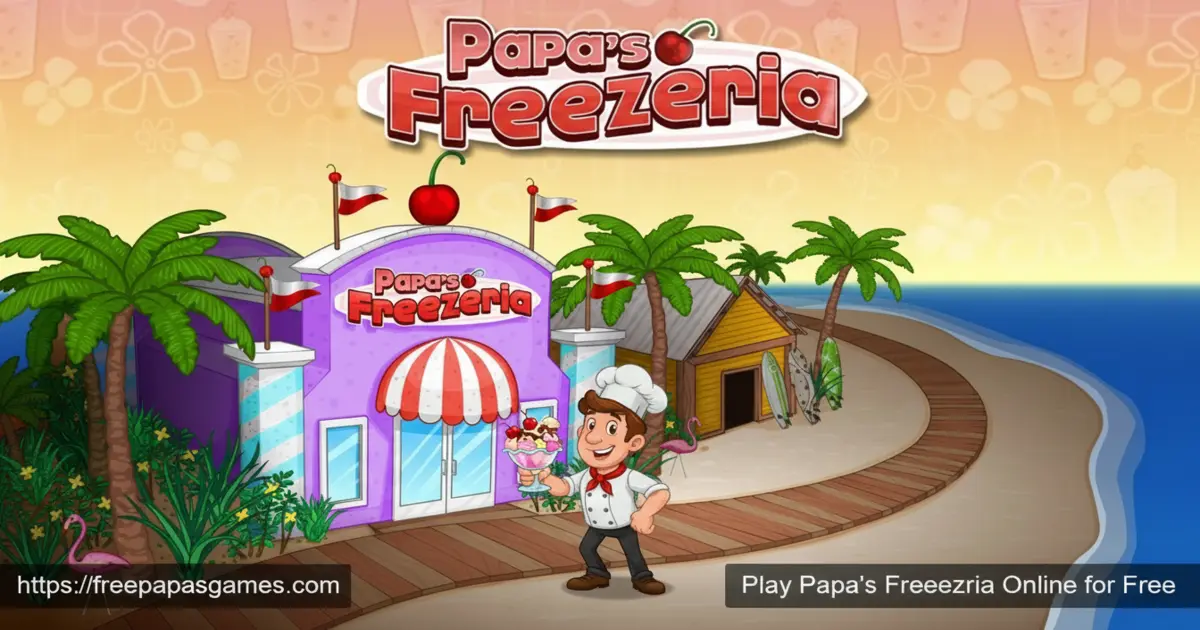
https://freepapasgames.com/wp-content/uploads/2025/12/Papas-Freezeria-Online-for-Free.webp
What is Papa’s Freezeria?
Papa’s Freezeria is a classic restaurant and cooking game created by Flipline Studios, the same team behind Papa’s Pizzeria and Papa’s Burgeria. It first launched as a browser game and quickly became one of the most beloved titles in the Papa Louie series.
You work at an oceanfront ice‑cream shop on Calypso Island while Papa Louie goes on vacation. What was supposed to be a chill summer job turns wild when a cruise ship full of tourists arrives, and suddenly everyone wants a custom freezer sundae right now. Your job is to keep the shop running smoothly, mix every order exactly right, and grow your tiny stand into a legendary dessert destination.
Papa’s Freezeria Gameplay
The gameplay in Papa’s Freezeria is all about multitasking and precision. Each workday, you play as Penny, Alberto, or a custom worker and handle four different stations: the Order Station, the Build Station, the Mix Station, and the Top Station. You’ll write down each customer’s order, choose the correct cup and ice‑cream flavor, add mixables, blend to the perfect level, and then decorate with whipped cream, sauces, and toppings.
You’re scored on waiting time, building, mixing, and topping accuracy. Do well, and you’ll earn stars, tips, and higher ranks. Whether you’re enjoying Papa’s Freezeria free in your browser or on mobile, the core loop is fast, satisfying, and super addictive.
Graphics and Sound
Papa’s Freezeria uses bright, cartoon‑style graphics that feel cheerful and friendly for all ages. Customers have unique looks and funny personalities, and every ingredient is colorful enough to make you hungry.
The animations for pouring ice cream, blending, and sprinkling toppings are smooth and satisfying to watch. Upbeat island music and sound effects make it feel like a real summer vacation, from the ding of the blender to the little chime when you nail a perfect order. 🎵
Levels and Progression
Instead of traditional “levels,” Papa’s Freezeria moves forward in days and ranks. Each in‑game day brings a new set of customers and sometimes new ingredients. As you serve sundaes, you earn points that raise your rank, unlock fresh flavors, syrups, and toppings, and attract more demanding visitors like Closers and Food Critics.
Many players stick with the game for dozens of days as they complete 40+ ranks, unlock all ingredients, and chase perfect scores. The difficulty increases gently, so younger players can learn, practice, and slowly master the chaos of a crowded freezer shop.
Customization and Shop Upgrades
One of the best parts of Papa’s Freezeria is how much you can customize. You can dress your worker in new outfits and hats, decorate the lobby with posters and furniture, and buy powerful shop upgrades. Blender boosters, timers, and automatic machines help you work faster as the shop gets busier. Smart kids quickly learn to spend tips on equipment first and decorations second, turning your shop into a stylish, super‑efficient sundae factory.
Achievements and Rewards
Papa’s Freezeria includes tons of achievements and in‑game awards that challenge you to do more than just survive the rush. You might be asked to use certain mixables, serve a customer perfectly several times, or beat a tricky Closer’s expectations. Completing these goals gives you extra rewards, bragging rights, and new goodies for your shop. Chasing every badge keeps the game exciting even after you’ve unlocked most flavors.
Why Kids Love Papa’s Freezeria
Players love Papa’s Freezeria because it feels like running a real business without any stress from real life. You’re learning time management, memory, and planning while decorating adorable sundaes. There’s a strong sense of routine, but every day still feels different because new customers, ingredients, and challenges keep arriving. It’s fast enough to be exciting, but simple enough for kids to understand after just a short tutorial.
Papa’s Freezeria Mobile and To Go
If you want to play on the go, there’s a special mobile version called Papa’s Freezeria To Go with touch controls designed for phones. There’s also an HD tablet edition and an expanded PC version, Papa’s Freezeria Deluxe, that adds even more customers, ingredients, and challenges. No matter which version you choose, the heart of the game stays the same: build the best sundaes possible and make every guest leave with a smile.
Platform
You can play Papa’s Freezeria directly in your web browser on desktop, laptop, tablet, or mobile, and you can also enjoy dedicated mobile versions on Android and iOS devices.
How to Play Papa’s Freezeria?
Papa’s Freezeria is easy to learn but hard to master. First, pick your worker and watch the short in‑game tutorial. When a customer arrives at the Order Station, click their ticket to write down exactly what they want. Then move to the Build Station, choose the right cup size, pour the correct ice‑cream flavor, and add the mixables shown on the ticket. At the Mix Station, place the cup on the blender and blend until the meter reaches the perfect spot.
Finally, head to the Top Station to swirl whipped cream, drizzle sauces, and place toppings in the right order. Serve the sundae, earn your score, and quickly start the next order. With practice, you’ll handle several cups at once like a true freezer pro, even when you play Papa’s Freezeria unblocked at school or home.
Instructions and Controls
- Mouse or touch – click or tap to select stations, buttons, and ingredients.
- Click and drag – pour ice cream, add mixables, and place toppings carefully.
- Number keys 1–4 (on some versions) – quick‑switch between stations.
- Space or on‑screen buttons – confirm actions and finish tutorials.
- Pause menu – check help guides, customer info, and options.
- End of day screen – review scores, tips, and new unlocks.
Tips and Tricks for Papa’s Freezeria
- Take a second to read each ticket carefully so you don’t waste time remaking sundaes. ✅
- Drop new orders into the blender before decorating finished ones to keep everything moving.
- Buy timer and blender upgrades early so you can multitask without burning shakes.
- Memorize regular customers’ favorite orders to build them faster and earn extra tips.
- Use decorations that boost waiting patience so long lines don’t ruin your scores.
Features of Papa’s Freezeria
- Four detailed stations: Order, Build, Mix, and Top.
- Dozens of unlockable ice‑cream flavors, syrups, candies, and toppings.
- Unique customers, picky Closers, and even a strict Food Critic.
- Shop for upgrades, furniture, and clothing to personalize your worker and lobby.
- Challenging achievements and long‑term ranks that reward steady play.
Papa’s Freezeria Online
Playing Papa’s Freezeria online is the fastest way to jump into the action. Just load the game in your browser, start a save file, and your progress will be stored so you can return to your shop later. No extra launchers or complex settings are needed. As long as your device has a modern browser, you can manage Papa Louie’s ice‑cream shop whenever you have a few free minutes.
Papa’s Freezeria for Free
Papa’s Freezeria is available as a free browser game, so you can enjoy building sundaes without paying anything. You don’t need to sign up or enter personal information to start serving customers. If you ever decide to try paid versions later, your free playtime will already have made you a skilled freezer master.
Download Papa’s Freezeria
On Android
You can take the fun anywhere by installing the official mobile version. Tap to build and blend with your fingers and enjoy the same classic gameplay in your pocket. Download on Google Play.
On iPhone or iPad
iOS players can enjoy smooth touch controls and compact levels created for smaller screens. It’s perfect for quick games while traveling or relaxing on the couch. Download on the App Store.
APK Papa’s Freezeria
If you’re looking for a Papa’s Freezeria download or APK, always choose official stores instead of random files. That way, you get the newest, safest version of the game, with no risk of viruses or broken installs.
On PC
On PC, the easiest way to play is right in your browser, using a mouse for precise pouring and topping. If you want an expanded downloadable edition, you can look for Papa’s Freezeria Deluxe on PC platforms, which adds even more ingredients, holidays, and challenges.
Can You Play Papa’s Freezeria Unblocked?
Yes. You can enjoy Papa’s Freezeria unblocked in your browser at home and, in many cases, at school or work as well. Because it runs in a normal web tab, there’s no need for special apps. Just open your browser, visit freepapasgames.com, and start managing your island ice‑cream shop.
Papa’s Freezeria Unblocked 76
When people talk about Papa’s Freezeria Unblocked 76, they usually mean playing the game on school Chromebooks or restricted networks. As long as your browser is allowed to open gaming sites and run modern web content, the game should load smoothly and save your progress between sessions.
Papa’s Freezeria Extension
Some players like having quick access to their favorite games with a browser extension. When an official Papa’s Freezeria extension becomes available in your browser’s extension store, install only that trusted version so you can reach the game in one click.
Similar Games to Papa’s Freezeria
If you’re a fan of Cooking Games, you’ll definitely enjoy these too:
FAQs About Papa’s Freezeria
What is the goal of Papa’s Freezeria?
The main goal of Papa’s Freezeria is to run Papa Louie’s ice‑cream shop while he’s away, making every sundae exactly how customers like it. You need to balance speed and accuracy to earn high scores, big tips, and new ranks.
Is Papa’s Freezeria still a Flash game?
The original version used Adobe Flash, but today you can play Papa’s Freezeria online using modern emulation technology. That means you don’t have to install Flash at all; the game runs directly in supported browsers.
Who created Papa’s Freezeria?
Papa’s Freezeria was created by Flipline Studios, the developers behind the entire Papa Louie series. They also developed popular titles such as Papa’s Pizzeria, Papa’s Burgeria, and many other cooking and restaurant games.
What kind of game is Papa’s Freezeria?
Papa’s Freezeria is a mix of cooking, business management, and time‑management gameplay. You prepare food like a chef, earn coins like a shop owner, and juggle many tasks at once like a real manager.
Why isn’t Papa’s Freezeria working on my device?
If Papa’s Freezeria doesn’t load, first check that you’re using a modern browser and have a stable internet connection. Try refreshing the page, clearing your cache, or closing extra tabs. On school or work networks, some game sites may be blocked, so you might need to play from home.
Can I play Papa’s Freezeria without Flash or extra downloads?
Yes. Modern versions let you play Papa’s Freezeria for free in your browser without Flash, plugins, or installers. Just open the game and start serving sundaes.
How far can you go in Papa’s Freezeria?
Your progress is measured in days and ranks. Dedicated players can reach high ranks, often nicknamed things like being better than Papa, after serving lots of customers, unlocking all ingredients, and mastering every station.
Does Papa’s Freezeria save my progress?
Most versions of the game save your file automatically, so you can return later and continue from the same day and rank. On shared or school computers, try to use the same browser each time so your local save file stays available.
Is Papa’s Freezeria good for learning?
Yes. While it’s mainly a fun game, Papa’s Freezeria also helps kids practice math, time management, memory, and logical thinking. You’re constantly planning which task to do next, counting ingredients, and watching timers.
Can I play Papa’s Freezeria on mobile?
Yes. You can play Papa’s Freezeria mobile using the official To Go version on Android and iOS. It’s redesigned for small touchscreens so you can drag, pour, and top sundaes with your fingers.
What is Papa’s Freezeria To Go?
Papa’s Freezeria To Go is a special mobile edition with shorter workdays and controls tuned for phones. It keeps the same basic stations and customers but makes everything fit comfortably on smaller screens.
Is Papa’s Freezeria free to play?
The browser version of Papa’s Freezeria is free to play, with no purchase required. The mobile To Go and Deluxe editions are paid apps, but they add extra features and are completely playable offline once installed.
Is Papa’s Freezeria like Papa’s Freezeria hooda math?
Many students first discover Papa’s Freezeria on school‑friendly sites that focus on learning. No matter where you play, the core game is the same frozen‑treat shop, and it can definitely help with thinking skills and quick decision‑making.
How is Papa’s Freezeria different from Papa’s Pizzeria?
In Papa’s Pizzeria, you bake pizzas with toppings in a specific pattern, while in Papa’s Freezeria, you blend and decorate frozen sundaes. Freezeria focuses more on timing blenders and neatly placing toppings in 3D cups.
How can I unlock more ingredients in Papa’s Freezeria?
You unlock new ice‑cream flavors, syrups, and toppings automatically as you level up. Just keep serving customers, earning points, and raising your rank to expand your freezer menu.
Can I share Papa’s Freezeria with my friends?
Of course. You can tell them the game’s name, show them how to reach it in a browser, or challenge them to beat your rank and tips. It’s fun to compare who can make the neatest sundaes.
Why did some Papa’s games stop working after 2020?
When Adobe Flash support ended in 2020, many older web games stopped running in normal browsers. Papa’s games like Papa’s Freezeria can still work today thanks to emulation and updated versions that no longer rely on Flash.
Conclusion
Papa’s Freezeria turns running an ice‑cream shop into a colorful, fast, and surprisingly strategic adventure. You’ll learn to juggle orders, keep customers happy, and design the perfect frozen treats, all while relaxing on a virtual tropical island. Whether you’re trying the browser version, Papa’s Freezeria To Go, or a deluxe PC edition, this game is a sweet choice for kids and families. Open the shop, tie on your apron, and start building your very first sundae today.
Gameplay Video